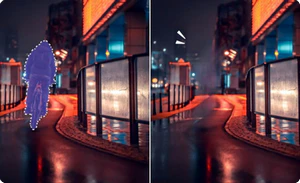
AVCLabs CapCut Watermark Remover erases watermarks, logos, texts, substitles from your videos instantly and seamlessly—whether they come from CapCut, TikTok, Snapchat, Instagram, or beyond.
: Use a tool like WinRAR or 7-Zip to extract the downloaded archive. Many versions use the password TFT .
FRP removal via Test Mode ( *#0*# ) and Odin-based flashing protocols.
Handles Brom mode exploits, drops secure boot requirements, and formats blocks instantly.
Use a tool like WinRAR or 7-Zip to extract the contents to a folder on your desktop. Run as Administrator: Right-click the setup file and select Run as Administrator to avoid permission issues. Complete Setup:
Open your system settings -> Update & Security -> Windows Security -> Virus & threat protection -> Manage settings . Flip the toggle for Real-Time Protection to OFF .
: Use this tool only on devices you own or have permission to service.
Before downloading and setting up the software, ensure your computer meets these basic requirements to prevent crashing or deployment errors: Windows 7, 8, 10, or 11 (64-bit recommended).
: Once opened, the tool may require an initial internet connection to verify its version or download minor updates. Standard Procedures & Safety Modes of Operation
The can significantly improve your driving experience by unlocking the full potential of your vehicle's digital dashboard. However, it requires careful adherence to instructions and caution regarding power stability.
Teamfight Tactics, also known as TFT, is a tactical strategy game developed by Riot Games. It's a free-to-play game that combines elements of chess and strategy games, where players compete against each other in a battle royale-style gameplay.
Select the destination directory (leave it at default C:\TFT Unlock to minimize path errors). Keep the checkbox marked for .
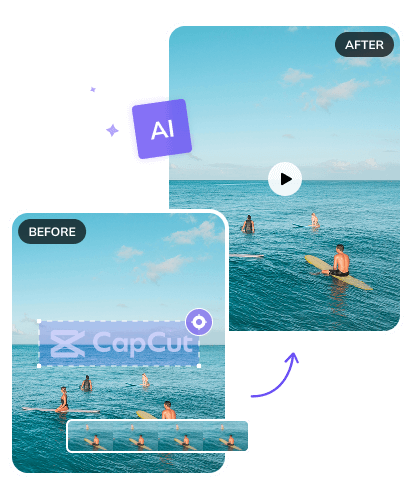



In real content creation, moving watermarks are far more "cunning" than imagined. What sets AVCLabs CapCut Watermark Remover apart is its powerful AI motion tracking. Frame-by-frame AI analysis learns movement trajectories of watermarks and captures dynamic changes precisely, ensuring careful, seamless removal.
There's no tedious mask adjustments when watermarks scale, rotate, or drift. AVCLabs Watermark Remover simplifies it to 3 intuitive steps, accessible to beginners. It delivers precise results for smoother creation in vlogs, promotions, and sports videos.
With AVCLabs Capcut Watermark Remover online free, removing a watermark does not sacrifice your video quality. Instead of leaving blurry patches or washing out colors when you remove CapCut watermark, AVCLabs watermark remover goes beyond simple erasure.
It analyzes surrounding pixels to fill in gaps naturally, ensuring your content stays sharp and vibrant. Whether your footage is bright and vibrant, soft and muted, or rich with detail, the result stays true to your original edit - sharp clarity, consistent tones, and no telltale signs of watermark removal.
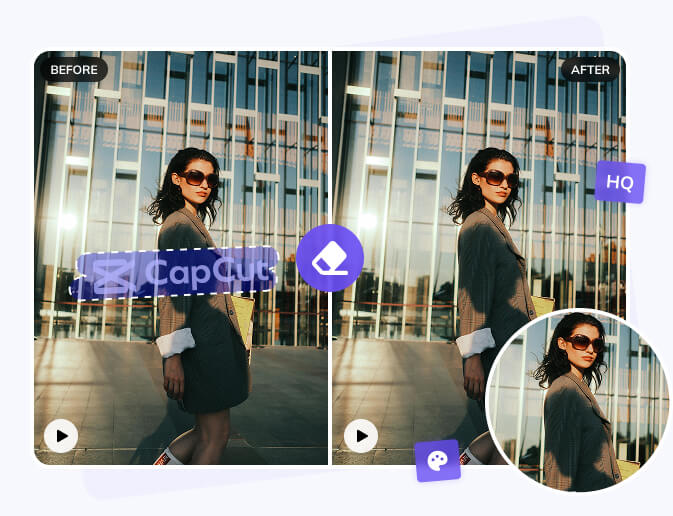
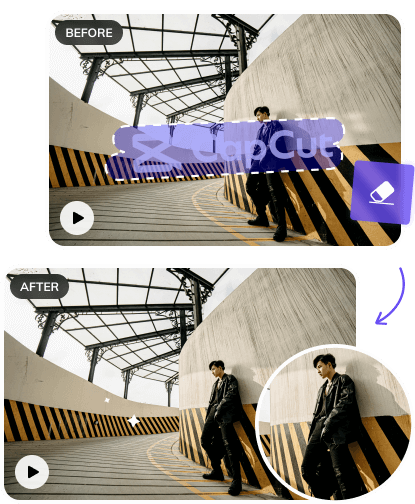
Worried that removing a CapCut watermark might accidentally erase key parts of your video? AVCLabs CapCut Watermark Remover entirely eliminates that risk. Based on cutting-edge AI models, it uses smart recognition to easily tell the difference between watermarks and your actual footage.
AVCLabs CapCut Watermark Remover precisely erases any kind of watermark - text overlays or logos. After removing these watermarks, it leaves untouched faces, custom edits, and critical visuals in a clean footage. This means you get a watermark-free video without compromising the content you worked hard to create.
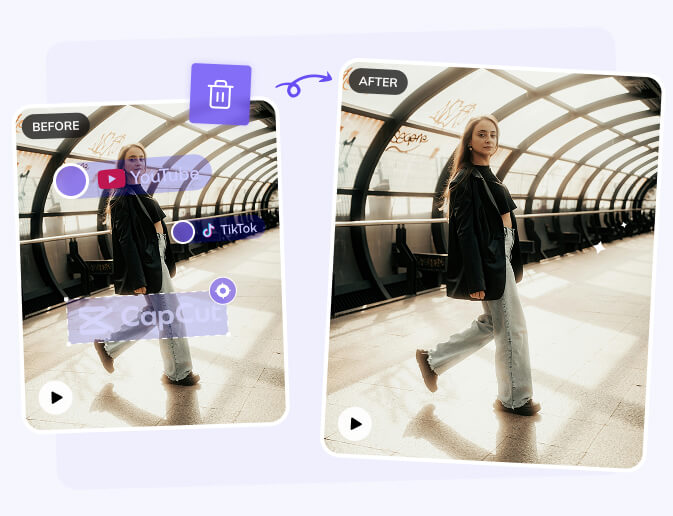
Not only the CapCut watermarks, AVCLabs CapCut watermark remover can wipes out all watermarks from video no matter which platform it comes from. Don’t settle for tools that only work on certain formats or platforms.
It’s a versatile free video watermark remover that fits your entire workflow, yet it's not only a CapCut watermark remover. From TikTok to Instagram, YouTube to personal shares, AVCLabs CapCut watermark remover ensures your videos look flawless everywhere.


As a vlogger, I’ve struggled with moving watermarks forever—until AVCLabs. Its AI motion tracking locks onto tricky, shifting marks instantly, no frame-by-frame hassle. My videos look clean and pro in seconds. Total game-changer!
Michael Thompson
Video Content Creator

Social media thrives on quality, and AVCLabs nails it. Removes CapCut watermarks effortlessly without blurring or washing out colors. My TikTok/Instagram posts stay sharp and polished—no extra editing needed. Love it!
Emily Carter
Social Media Manager

Sports footage watermarks are tough—fast-moving, rotating, all over the frame. AVCLabs’ AI tracks them perfectly and erases cleanly. Cuts my editing time in half, and my action clips stay smooth and watermark-free. Essential tool!
David Lee
Sports Videographer

Watermarks used to distract from my tutorials, but AVCLabs fixes that. Works on YouTube/TikTok videos seamlessly, targeting only the mark—faces and key visuals stay crisp. My lessons look pro, and students focus on the content. Reliable and easy!
Sarah Mitchell
Online Educator


: Use a tool like WinRAR or 7-Zip to extract the downloaded archive. Many versions use the password TFT .
FRP removal via Test Mode ( *#0*# ) and Odin-based flashing protocols.
Handles Brom mode exploits, drops secure boot requirements, and formats blocks instantly.
Use a tool like WinRAR or 7-Zip to extract the contents to a folder on your desktop. Run as Administrator: Right-click the setup file and select Run as Administrator to avoid permission issues. Complete Setup:
Open your system settings -> Update & Security -> Windows Security -> Virus & threat protection -> Manage settings . Flip the toggle for Real-Time Protection to OFF .
: Use this tool only on devices you own or have permission to service.
Before downloading and setting up the software, ensure your computer meets these basic requirements to prevent crashing or deployment errors: Windows 7, 8, 10, or 11 (64-bit recommended).
: Once opened, the tool may require an initial internet connection to verify its version or download minor updates. Standard Procedures & Safety Modes of Operation
The can significantly improve your driving experience by unlocking the full potential of your vehicle's digital dashboard. However, it requires careful adherence to instructions and caution regarding power stability.
Teamfight Tactics, also known as TFT, is a tactical strategy game developed by Riot Games. It's a free-to-play game that combines elements of chess and strategy games, where players compete against each other in a battle royale-style gameplay.
Select the destination directory (leave it at default C:\TFT Unlock to minimize path errors). Keep the checkbox marked for .